


360 employee review is a method of getting feedback from various parties regarding an employee’s performance. The feedback sought would come from immediate managers, colleagues and subordinates. All the feedback received would be translated into actions for employees and gives a better overview of how their work is perceived within an organization.
This can be administered via direct manager receiving a report and producing a report based on the behaviors exhibited at work. Alternatively , there are software that can provide a score for certain assessment areas and makes it easier to compile and organize. There are also direct feedback provided between employee to employee that is not filtered by anyone.
Ideally, the organization should set some guidelines on what criteria would be assessed and typically that would be on soft skills that looks at leadership,communication, teamwork,organization, creativity and interpersonal skills.
Digital Solutions for 360 Employee Review
With the rise of no code software tools with built in integrations, it is becoming increasingly easy to test various options that can support the 360 employee review within an organization. Gone are the days when an email is sent to a manager to receive feedback without a proper template and format for easy compilation. There are two tools that would be looked at for this article due to the simplicity and ease of deployment.
Typically, organizations would reach out to external vendors to do a demo and gather requirements while upselling their expertise and functionalities of the tool to meet and exceed the requirements. To move beyond a mere demo and for a pilot phase, typically it involves some upfront costs that due to lack of budget would put an end to the discussion with the vendor as the business case is not deemed valid for a pilot implementation..
In order to be flexible, it makes more sense for a Head of IT or IT business partner of any organization to understand the requirements and put together a demo without needing to spend money on external tools for a pilot. In order to do that, the IT business partner would need a functional tool that can display the functionality in a visually appealing method without spending too much time in developing and troubleshooting the tool.
Magic tool — Streamlit
Streamlit is a data web application that turns data scripts into shareable web apps in minutes. It requires no front‑end experience required and is a favored tool used by data scientists. All that it requires is for a working knowledge of Python and you are good to go. Streamlit Cloud allows you to share apps in one click and collaborate instantly with live code updates.
Chatbot tool — Landbot.io
Landbot.io is a powerful no code chatbot builder that can convert leads, capture data an personalize user journeys. It can help to deploy conversational experiences in a matter of minutes with it’s ready made templates for lead generation and survey/quizzes.
Pain points or Requirements
A bot that can reach out to selected employees within an organization and go through the motions of 360 employee review with rating by assessment areas. Lastly, it should be able to generate a report easily that can be used for reference and discussion with the employee later.
Review on current tools in the market
For enterprises, the most popular and well known communication tools would be Microsoft Teams and Slack. A quick scan through the Teams App Store and Slack App directory would show you what are the features that you can compare against when evaluating a chatbot for gathering 360 employee reviews.
Microsoft Teams
You have Teamble which is available on both Teams and Slack that can provide one to one feedback, team feedback and performance reviews. It costs $5 per user for the team plan and it can customize for competencies, growth areas, and strengths for the one to one feedback. Besides Teamble, there is Parlor Feedback which is a user relationship management system that comes with modules for user management, feedback management and engagement management module.
Slack
There are various apps such as Feedbackbot, Incognito , 360katas and team360. The function or features range from a simple Slack slash command to provide direct feedback, pulse survey and anytime feedback and quick evaluation based on 3 options namely underperformed, performed well and overperformed for anonymous feedback.
What can Streamlit and Landbot.io do?
Firstly, Streamlit can be used to present the requirements in a single web page followed by the functionality of the Landbot chatbot that can demonstrate how it meets the requirements.
Next, Landbot.io can be used for a short period of 5 days after registering for free to test out the chatbot templates or to build a customized flow and actions triggers for this requirement. This has been achieved based on Landbot.io key functions. On top of that, it is possible to export the conversation flow as seen on the Landbot.io canvas as PNG so that it is clear how the chatbot flow is defined.
Let’s see what can Streamlit and Landbot do.
Streamlit and Streamlit Cloud(Share)
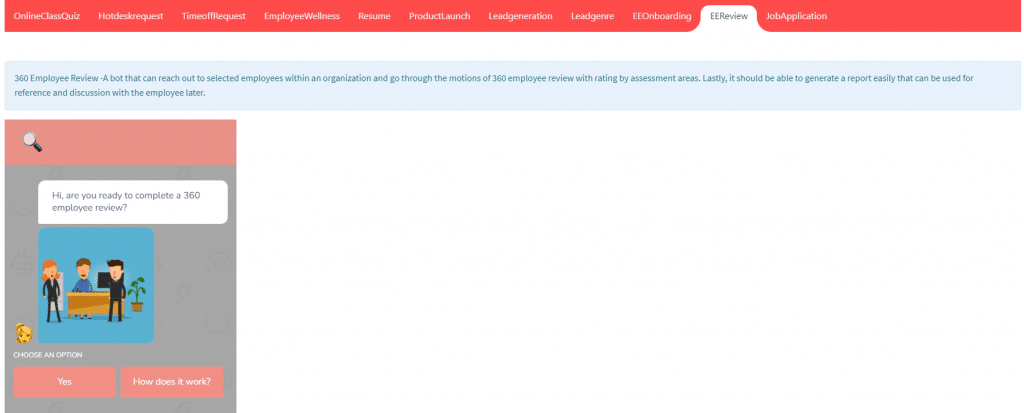
Streamlit Share with section to describe the requirements followed by the tool
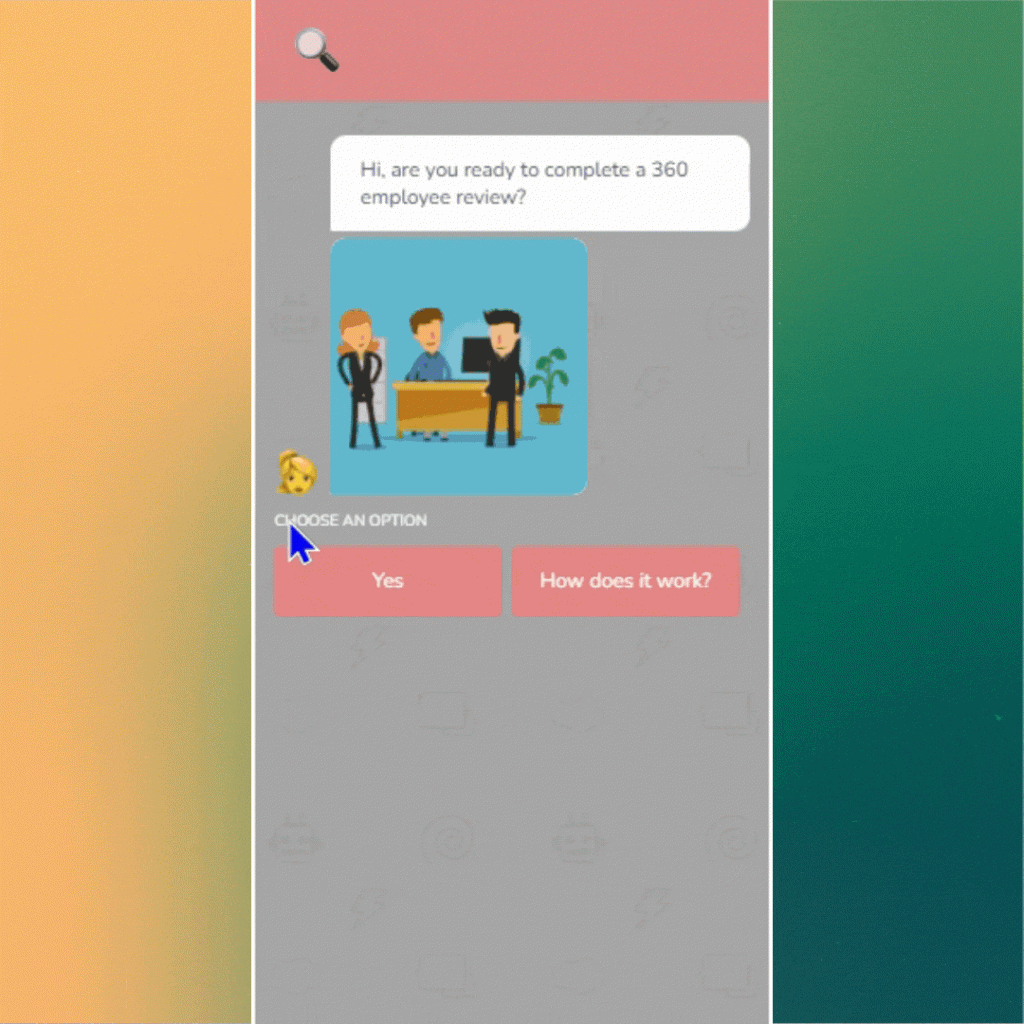
GIF of how the Landbot chat tool conversation flow works.
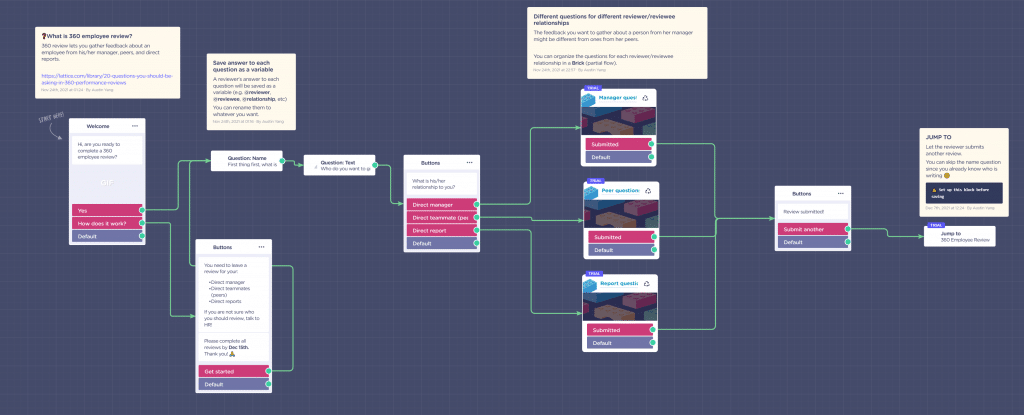
Conversation Flow for 360 Employee Review Chatbot with Trigger based on Keywords
In Landbot.io, there are simple and advanced features that can be further explored to expand the 360 employee review flow. It comes with integration with Sendgrid, Google Sheets, Zapier, Slack and many more.
Key Takeways
- Streamlit can be used not merely as a data science app if you get creative.
- Landbot can be deployed on web, Whatsapp, Facebook Messenger and as a API chatbot
- For organizations that currently have Teams or Slack, it is worth exploring with Landbot.io features and functionality as the available apps on Teams App store or Slack App directory may be too basic and requires further customization offered by Landbot.